
Graphics Driver Mode APK 1.1.4

- Update
- Developer Cast4TV
- Version 1.1.4
- Compatible with Android 10
- Category TOOLS
Graphics Driver Mode APK helps Android users optimize GPU performance for smoother gaming and better graphics. By enabling game-optimized drivers, it can reduce lag, improve FPS, and enhance visual stability in supported games without requiring root access. Ideal for gamers seeking better performance safely.

What Is Graphics Driver Mode APK?
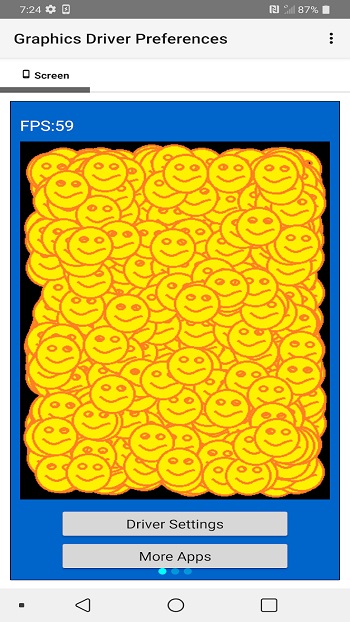
Graphics Driver Mode APK refers to a configuration that allows Android users to control which graphics driver is used by specific apps or games. Instead of relying only on the default system graphics driver, users can choose optimized drivers designed specifically for gaming.
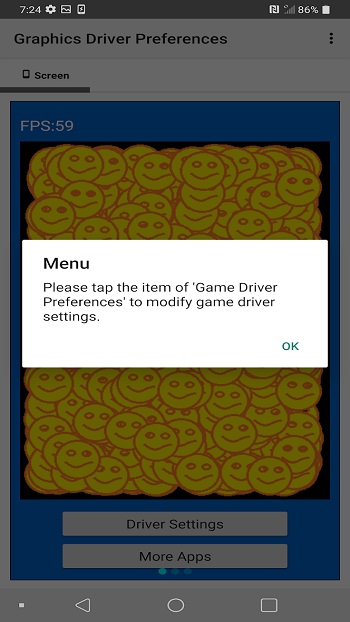
Although the term “APK” is commonly used, Graphics Driver Mode is usually built into Android itself and accessible through Developer Options. Some APK tools only act as shortcuts to manage this feature more easily, rather than adding new functionality.
This feature is especially useful for gamers who want better GPU performance without rooting their devices or installing custom firmware.
How Graphics Driver Mode Works on Android
Android uses graphics drivers to connect software applications with the device’s GPU. These drivers handle rendering tasks, textures, lighting effects, and animations in games.
Graphics Driver Mode allows Android to:
-
Assign updated GPU drivers to selected apps
-
Improve compatibility with modern graphics APIs such as Vulkan
-
Optimize rendering pipelines for gaming performance
By using a game-optimized driver instead of the default system driver, supported devices can reduce latency, improve stability, and achieve smoother visuals.
Benefits of Using Graphics Driver Mode APK
Improved Gaming Performance
One of the biggest advantages of Graphics Driver Mode APK is enhanced performance. Users often report:
-
Higher and more stable FPS
-
Reduced stuttering and lag
-
Smoother camera movement
Better Graphics Quality
With optimized drivers, games can render textures, shadows, and lighting effects more efficiently. This can result in clearer visuals without significantly increasing power consumption.
Per-App Customization
Graphics Driver Mode allows users to enable enhanced drivers only for specific games. This means normal apps remain unaffected, helping maintain system stability.
No Root Required
Unlike advanced system tweaks, Graphics Driver Mode does not require root access. This makes it safer and accessible for most Android users.
How to Enable Graphics Driver Mode on Android
Before enabling Graphics Driver Mode, make sure your device is running a compatible Android version and has Developer Options enabled.
Step 1: Enable Developer Options
-
Open Settings
-
Go to About Phone
-
Tap Build Number multiple times until Developer Options are unlocked
Step 2: Configure Graphics Driver Mode
-
Open Developer Options
-
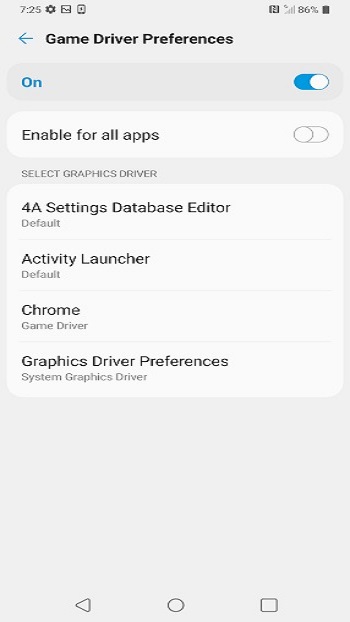
Find Graphics Driver Preferences
-
Select a game from the list
-
Choose the Game Driver instead of the System Driver
Step 3: Restart the Game
After changing the setting, restart the selected game to apply the new driver configuration.
Not all devices support game drivers, so availability may vary depending on manufacturer and Android version.
Is Graphics Driver Mode APK Safe to Use?
Safety Overview
Graphics Driver Mode is an official Android feature, which means it is generally safe when used correctly. However, using third-party APKs claiming to “unlock” hidden drivers can be risky.
Potential Risks
-
App crashes if the driver is incompatible
-
Visual glitches in certain games
-
Slightly higher battery usage during long sessions
Best Safety Practices
-
Use built-in Android settings whenever possible
-
Avoid unknown or modified APK files
-
Switch back to default drivers if issues occur
When used responsibly, Graphics Driver Mode does not harm your device.
Devices That Support Graphics Driver Mode
Support for Graphics Driver Mode depends on:
-
Android version
-
GPU model
-
Manufacturer implementation
Devices with modern GPUs from Qualcomm, MediaTek, or Samsung are more likely to support game drivers. Flagship and gaming-oriented phones usually show the best results.
Games That Benefit Most from Graphics Driver Mode
Graphics Driver Mode works best with graphically demanding games, especially those using Vulkan or advanced 3D engines. Examples include:
-
Open-world action games
-
Competitive multiplayer shooters
-
Racing and simulation games
-
Sandbox games with complex rendering
Lightweight or casual games may not show noticeable improvements.
Common Problems and How to Fix Them
Game Crashes After Enabling Driver Mode
Switch back to the system graphics driver and restart the game.
No Performance Improvement
Ensure the game supports modern graphics APIs and that your device hardware is compatible.
Increased Heat or Battery Drain
Lower in-game graphics settings or disable driver mode after extended gameplay sessions.
Graphics Driver Mode APK vs Other Optimization Methods
Graphics Driver Mode focuses specifically on GPU performance. Other optimization methods include:
-
Game booster apps
-
Reducing background processes
-
Lowering resolution or graphics quality
-
Keeping the system updated
For best results, Graphics Driver Mode should be combined with general performance optimization practices.
Conclusion
Graphics Driver Mode APK is a powerful feature for Android users who want better gaming performance without complicated system modifications. By allowing games to use optimized GPU drivers, it can improve frame rates, stability, and visual quality on supported devices.
While it is not a magic solution for all performance issues, Graphics Driver Mode can make a noticeable difference when used correctly. Always test settings carefully, avoid unsafe APK files, and monitor your device’s performance to achieve the best gaming experience possible.












Your comment